
7 Proven Ways: How to Create Consistent Characters with AI Free (2026 Ultimate Guide)
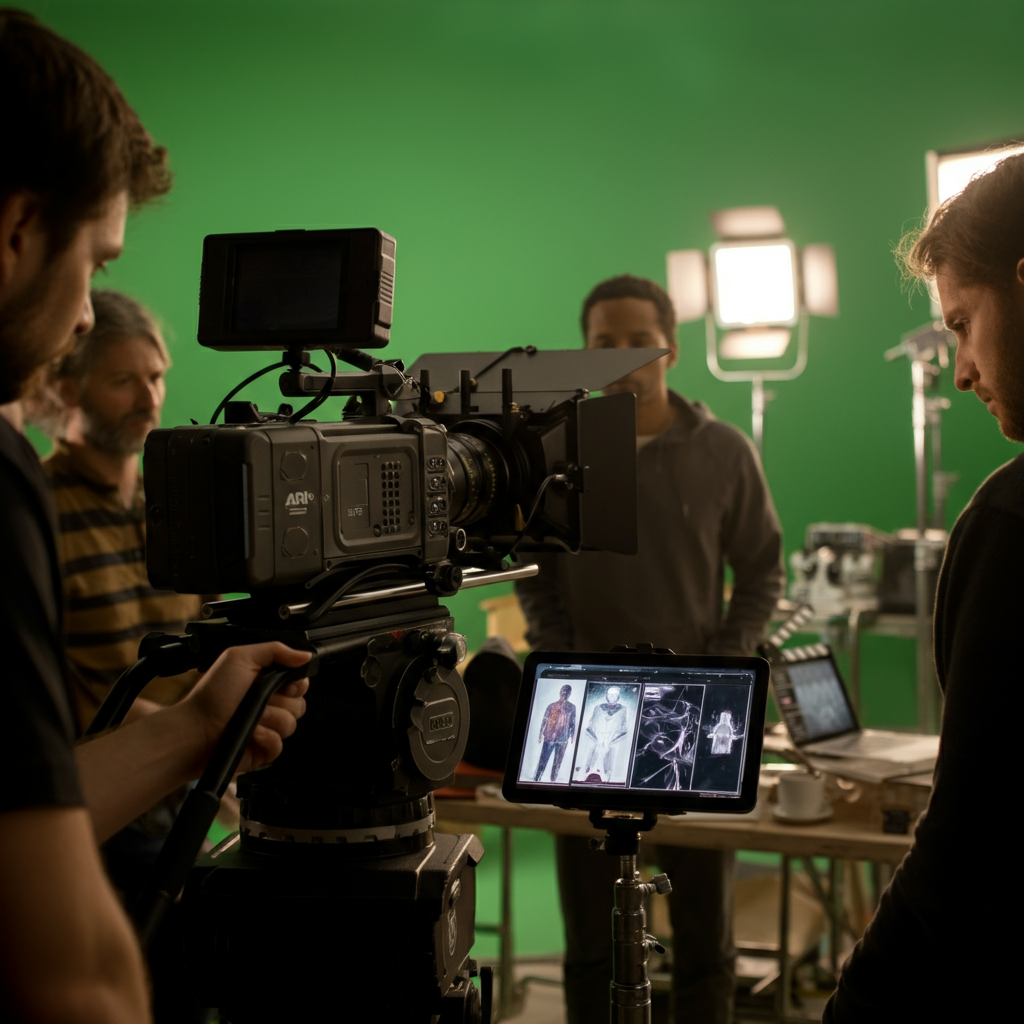
The dream of independent filmmaking often clashes with the reality of limited budgets, especially when it comes to maintaining visual consistency for characters across numerous scenes, reshoots, or even different projects. Traditionally, this required meticulous planning, extensive wardrobe departments, and skilled makeup artists – resources often out of reach for indie creators. However, the rapid advancement of artificial intelligence is democratizing this aspect of production, offering powerful, often free, solutions for achieving character consistency. This guide delves into the practical, actionable methods you can employ today to harness AI for this critical filmmaking challenge.
Creating consistent characters with AI for free primarily involves leveraging advanced AI image generators like Stable Diffusion XL and DALL-E 3 with strategic prompt engineering, image-to-image workflows, and finetuning techniques. These tools enable filmmakers to generate high-quality character assets that maintain visual identity across different poses, expressions, and environmental contexts, crucial for cohesive storytelling without incurring significant costs.
Key Takeaways
- Prompt Engineering is Paramount: Mastering detailed textual descriptions, including stylistic cues and character traits, is the foundation for consistent AI character generation.
- Image-to-Image for Iteration: Utilize existing character images as input for AI models to generate new variations while preserving core visual identity.
- Free Tools Offer Robust Solutions: Platforms like Stable Diffusion XL (via various interfaces) and open-source models provide powerful capabilities without subscription fees.
- ControlNets and LoRAs Enhance Precision: For advanced users, these techniques allow for unparalleled control over pose, structure, and style, ensuring high fidelity.
- Bridging to Video: While primarily image-focused, consistent character designs can be imported into AI video generators and traditional NLEs for animated sequences.
- Iterative Refinement is Key: Expect to generate multiple iterations and fine-tune prompts to achieve the desired level of consistency and detail.
Understanding AI Character Consistency: Why It Matters for Filmmakers
Character consistency refers to the ability to maintain a character's visual identity – their appearance, costume, facial features, and overall demeanor – across various shots, scenes, and even different stages of production. For filmmakers, this is non-negotiable. A character who suddenly appears with a different hairstyle or an inconsistent costume between cuts can shatter a viewer's immersion, pulling them out of the story. In narrative filmmaking, continuity errors are glaring, detracting from the perceived professionalism and artistic integrity of the work.
Traditional methods for achieving this are resource-intensive. Think of the continuity supervisor on a professional set, meticulously documenting every detail of a character's appearance, or the extensive costume design process ensuring every button and stitch is accounted for. For indie filmmakers, where resources are often stretched thin, such luxuries are rare. This is where AI steps in as a game-changer, offering a path to professional-grade consistency without the associated costs or personnel.
AI models, especially generative image and video tools, can learn and replicate specific visual attributes. By feeding these models carefully curated information about a character, filmmakers can generate a vast array of images or even short video clips that all adhere to a singular, defined aesthetic. This not only saves time and money but also opens up new creative possibilities, allowing for rapid prototyping of character looks or the generation of background extras that perfectly match the film's established style.
"The ability to rapidly iterate on character designs while maintaining core visual fidelity has been a holy grail for indie filmmakers. AI isn't just a tool; it's an extension of the creative team, leveling the playing field for storytelling." - No Film School
Moreover, the "free" aspect of many AI tools is particularly appealing. Open-source models and platforms offering free tiers provide powerful capabilities that, until recently, were only accessible to large studios with significant R&D budgets. This accessibility means that even a filmmaker with a shoestring budget and a laptop can begin experimenting with and implementing sophisticated character consistency workflows. It's about empowering storytellers, ensuring their vision isn't compromised by financial limitations. For a broader overview of how AI is transforming film production, consider reading "How to Use AI in Film Production: 7 Proven Ways (2026 Ultimate Guide)".
Foundational Principles: Prompt Engineering for AI Characters
Effective prompt engineering is the bedrock of consistent AI character generation. Without precise and detailed instructions, AI models will produce varied, often inconsistent, results. Think of your prompt as a detailed character bible for the AI, leaving no room for ambiguity. It's not just about what you want, but how you describe it.
Start by defining your character's core attributes. This includes physical appearance (age, gender, ethnicity, hair color, eye color, body type, distinctive marks), costume (specific items, colors, textures, style), accessories (jewelry, props), and even their general demeanor or expression. The more specific you are, the better the AI can grasp and replicate the character.
Consider the following elements in your prompts:
- Character Name/Identifier: While AI doesn't understand names in the same way humans do, consistently using a unique identifier in your prompt can help reinforce the 'character.' Example:
"Subject A: [detailed description]". - Physical Attributes: "A middle-aged man, gaunt face, tired blue eyes, short messy brown hair, scar above his left eyebrow." Avoid vague terms like "attractive" or "old"; be specific.
- Clothing/Costume: "Wearing a faded denim jacket, dark grey t-shirt, worn-out leather boots, with a silver compass necklace." Detail colors, materials, and condition.
- Setting/Context: "Standing in a dimly lit alley, rain-slicked pavement, urban grunge." This helps ground the character and can influence their appearance subtly.
- Art Style/Mood: "Photorealistic, cinematic lighting, gritty, neo-noir style, 35mm film grain, shot on ARRI Alexa." Consistency in style is crucial for film.
- Pose/Expression: "Looking intently, slight frown, hands casually in pockets." Specify if the character is smiling, sad, running, etc.
Example Prompt Structure:
"Photorealistic portrait of [Character Name/Identifier], [Age/Gender/Ethnicity], [Detailed Facial Features], [Hair Description], [Eye Color], wearing [Detailed Costume Description], [Specific Accessories]. [Expression/Pose]. Cinematic lighting, film noir aesthetic, shot with a RED V-Raptor, 8K, highly detailed, sharp focus."
This structured approach, repeated with minor modifications for different scenes or poses, drastically improves consistency. Experimentation is key; start with a base prompt and incrementally add details, observing how each addition influences the output. For more insights on crafting effective prompts for visual AI, delve into resources on "Stable Diffusion for Filmmakers Review: The Unrivaled Creative Toolkit (2026)".
Free AI Image Generators for Consistent Character Design
While premium tools like Midjourney v6 and DALL-E 3 offer exceptional quality, several free AI image generators provide robust capabilities for achieving character consistency, especially for indie filmmakers on a budget. These tools often leverage open-source models like Stable Diffusion XL, offering flexibility and powerful features through various interfaces.
Here are some top free options:
- Stable Diffusion XL (via online interfaces): This is arguably the most powerful free option. While the core model is open-source, various websites and applications provide free access with varying limitations (e.g., daily credits, slower generation times). Look for interfaces that support ControlNet for pose control and LoRAs (Low-Rank Adaptation) for fine-tuning character styles. Popular free fronts include Clipdrop by Stability AI, Hugging Face Spaces, and various community-run web UIs. Stability AI's official Clipdrop offers a good free tier for exploring SDXL's capabilities.
- Leonardo.Ai (Free Tier): Offers a generous daily credit allowance, enabling users to generate numerous images. It supports Stable Diffusion models and provides an intuitive interface with options for image-to-image and prompt refinement. While not entirely open-source, its free tier is highly functional.
- Fooocus: A user-friendly interface for Stable Diffusion that simplifies the prompting process while still offering advanced features. It's designed to be a more accessible entry point to high-quality AI image generation, making it excellent for beginners focused on consistency.
- DreamStudio (Free Credits): Stability AI's official interface for Stable Diffusion models. It offers initial free credits, allowing filmmakers to test its capabilities and generate initial character assets before deciding if a paid plan is necessary. The quality is excellent, directly reflecting the power of their underlying models.
Comparison of Free AI Image Generators:
| Feature | Stable Diffusion XL (via UIs) | Leonardo.Ai (Free Tier) | Fooocus | DreamStudio (Free Credits) |
|---|---|---|---|---|
| Model Base | SDXL (open-source) | SDXL, custom models | SDXL | SDXL, SD 1.5 |
| ControlNet | Yes (interface dependent) | Limited | No | No |
| LoRA Support | Yes (interface dependent) | Yes | Limited | No |
| Daily Credits | Varies by platform | Generous | N/A (local/API) | Initial batch |
| Ease of Use | Moderate-High | High | Very High | Moderate |
| Output Quality | Excellent | Excellent | Excellent | Excellent |
| Primary Strength | Customization, versatility | User-friendly, assets | Simplicity, speed | Official quality |
When choosing a tool, consider its support for image-to-image generation, which is crucial for consistency, and the extent of control it offers over aspects like pose and composition. For example, using a tool that integrates ControlNet allows you to upload a reference image of a character's pose and generate new images of your AI character in that exact stance, vastly improving visual continuity across shots. This is a powerful, free technique that can transform your character design workflow.
Advanced Techniques for Maintaining Visual Cohesion
Achieving true visual cohesion for AI-generated characters often requires moving beyond basic prompt engineering. These advanced techniques leverage the underlying capabilities of AI models to exert more precise control over the character's appearance, ensuring they remain identical across diverse scenarios.
Here are several advanced, often free, techniques:
- Image-to-Image (Img2Img) Generation: This is a fundamental technique for consistency. Start by generating a strong base image of your character. Then, feed this image back into the AI model as an input, along with a new prompt describing a different pose, expression, or background. The AI uses the input image as a stylistic and compositional reference, generating new outputs that maintain the core identity of your character. Experiment with the 'denoising strength' parameter; lower values will keep the new image closer to the original, while higher values allow for more creative interpretation.
- ControlNet Integration: Available in many Stable Diffusion interfaces (like Automatic1111 or ComfyUI, which can be run locally for free, or through some online services), ControlNet is a game-changer. It allows you to provide an auxiliary input image alongside your text prompt to control specific aspects of the generation. For character consistency, key ControlNet models include:
- LoRAs (Low-Rank Adaptation) and Checkpoints: While training your own LoRA can require computing resources, many artists share pre-trained LoRAs for specific character styles or even famous characters. These small, downloadable files can be loaded into Stable Diffusion to finetune the model's output towards a particular aesthetic or character appearance. Similarly, 'checkpoints' are full model weights trained on specific datasets, which can imbue the AI with a distinct artistic style or the ability to generate certain types of characters consistently.
- Inpainting and Outpainting: These techniques allow you to modify or extend existing images. If a character's hand is inconsistent in one frame, you can use inpainting to regenerate just that section based on your prompt and the surrounding image data. Outpainting allows you to extend the canvas, useful for widening a shot while keeping your character perfectly consistent within the new frame. Both are powerful for post-generation refinement.
- Seed Values and Negative Prompts: Always record the
seedvalue used to generate your initial character. This unique number allows you to reproduce the exact same starting point for future generations, making iterative refinements much easier. Negative prompts are equally important; use them to explicitly tell the AI what you don't want (e.g., "deformed limbs, extra fingers, blurry, low quality") to improve overall quality and avoid common AI artifacts that can break consistency.
Leveraging AI Tools for Facial and Costume Consistency
Facial features and costumes are often the most recognizable aspects of a character, and any inconsistency in these areas can be immediately jarring to an audience. AI tools, even free ones, offer specific methodologies to address these critical aspects, ensuring your characters look exactly as they should, scene after scene.
Strategies for facial consistency:
- Consistent Reference Images: Begin by creating a set of strong reference images for your character's face. These should include various angles, expressions (neutral, happy, sad), and lighting conditions. Use these as primary inputs for image-to-image generation.
- Face Swap/Re-Styler Tools: Some free or freemium AI tools (e.g., Artbreeder's older features, various online face swap services) allow you to transfer facial features from a reference image onto a new base image. While dedicated face-swapping often requires precise masking, AI-powered re-stylization can subtly adjust features to match a source.
- High-Detail Prompts for Facial Features: Go beyond "blue eyes." Specify "piercing cerulean eyes with fine crow's feet," or "a strong jawline with a five o'clock shadow." Detail any scars, moles, or unique characteristics. Using terms like "identical face" or "same facial structure as previous image" in conjunction with Image-to-Image can also help.
- Facial Landmark Control (ControlNet): For Stable Diffusion users, ControlNet's "face" or "segmentation" preprocessors can isolate and control specific facial features. You can provide an image with a specific face and then generate new images where that face is mapped onto different bodies or scenes, maintaining its unique geometry.
Strategies for costume consistency:
- Detailed Costume Prompts: Just like facial features, describe costumes meticulously. "A worn, dark green trench coat with large brass buttons and a frayed collar," not just "green coat." Specify fabric, texture, condition, and any unique details or patterns.
- Layered Generation: If a costume has multiple components (e.g., shirt, jacket, accessories), consider generating them somewhat separately or focusing your prompts on individual layers to ensure their distinct characteristics are maintained. Then, combine them in a final composite.
- Model Finetuning/LoRAs for Specific Garments: If a character wears a highly unique costume, consider searching for or even training a LoRA specifically for that garment type. This is an advanced technique but can yield incredibly consistent results. Many online communities share LoRAs for specific clothing items.
- Inpainting for Adjustments: For minor costume inconsistencies (e.g., a misplaced button, a stain appearing or disappearing), inpainting allows you to regenerate only the affected area, preserving the rest of the image. This is invaluable for quick fixes without re-generating an entire frame.
- Reference Sheet Generation: Create an AI-generated reference sheet for your character that includes their face from multiple angles, their costume from front/back/side, and key props. This visual guide can then serve as a consistent mental model for the AI during subsequent generations. Second Act's AI Studio provides a robust platform for managing these creative assets, helping you organize your character references efficiently.
From Still Image to Animated Sequence: Bridging the Gap
While the primary focus of creating consistent characters with AI free is often rooted in still image generation, the ultimate goal for filmmakers is to bring these characters to life in animated sequences. Bridging the gap between static designs and dynamic video requires a multi-faceted approach, combining AI image tools with AI video generators and traditional animation techniques.
Steps to transition from consistent images to video:
- Generate a Series of Consistent Keyframes: Using the prompt engineering and advanced techniques discussed earlier, generate several key images of your character in different poses, expressions, and actions relevant to your scene. Ensure these images maintain absolute visual consistency.
- Utilize Image-to-Video AI Generators (Free Tiers): Platforms like Pika Labs, Runway Gen-3 Alpha (via free trials/credits), or even Stable Video Diffusion (open-source) allow you to animate still images. You can feed your consistent character images into these models and prompt them to generate short video clips. While free tiers often have limitations on duration or resolution, they are excellent for testing concepts and generating short, consistent animations.
- Frame Interpolation with AI: After generating a few consistent keyframes, AI interpolation tools (some available as open-source scripts or within video editing software like DaVinci Resolve) can create the in-between frames, smoothing out motion and increasing the perceived frame rate. This helps create fluid animation from fewer source images.
- Integrate into Traditional NLEs (Non-Linear Editors): Once you have consistent AI-generated character assets (stills or short clips), import them into software like Adobe Premiere Pro, DaVinci Resolve, or Final Cut Pro. Here, you can composite them into live-action footage, layer them with other elements, and perform traditional animation (e.g., puppet animation, keyframe animation for props). Tools like After Effects can be used for more complex motion graphics and VFX involving your AI characters.
- Motion Tracking and Rotoscoping: For integrating AI characters into live-action scenes, techniques like motion tracking can be used to match their movement to camera motion, while rotoscoping can help composite them seamlessly into the footage, creating realistic interaction with the environment. While these are manual techniques, they become significantly easier when starting with highly consistent AI-generated character assets.
- Second Act's AI Studio Integration: Second Act is designed to streamline many of these processes, allowing filmmakers to manage character assets, integrate AI-generated elements, and maintain consistency throughout their production pipeline. Its ecosystem is continuously evolving to offer more direct pathways from character design to animated sequences.
Common Pitfalls and Troubleshooting AI Character Inconsistencies
While AI offers powerful solutions for character consistency, it's not without its challenges. Filmmakers often encounter common pitfalls that can lead to frustrating inconsistencies. Understanding these issues and knowing how to troubleshoot them is crucial for a smooth workflow and successful outcomes.
Common pitfalls and their solutions:
- Drifting Appearance (Facial/Costume): The character's face or costume subtly changes with each generation, losing their unique identity.
seed value for generations, and heavily relying on image-to-image with low denoising strength (0.5-0.7) from a strong base image. Consider using a character-specific LoRA if available.
- Inconsistent Poses/Body Language: The character's posture or actions don't match the desired scene requirements or prior shots.
ControlNet OpenPose extensively. Generate a clear stick figure or skeletal reference of the desired pose and feed it to ControlNet. This forces the AI to adhere to the exact body geometry. Using reference photos for the pose is also highly effective.
- Environmental Interference: The background or lighting of a new scene changes the character's appearance in an undesirable way.
"blurry background, overexposed, stylized" if you want a clean, photorealistic character). If using image-to-image, try masking the character to protect them from environmental changes.
- Artifacts and Distortions: AI models, especially free or rapidly generated ones, can produce odd hands, distorted faces, or unrealistic proportions.
"deformed hands, extra fingers, poor anatomy, ugly, tiling"). Utilize inpainting to fix problematic areas. For critical shots, generate many variations and pick the best, then use inpainting for minor fixes.
- Lack of Emotional Nuance: Characters might look consistent but lack the specific emotion or expression required for a scene.
"eyes filled with sorrow," "a wry smirk," "tense jawline"). Reference emotive facial expressions in image-to-image. Sometimes, generating a neutral face and then subtly compositing AI-generated emotional elements (like specific eye crinkles or mouth shapes) can work.
- Output Format Limitations (Free Tools): Free tools often have watermarks, lower resolution, or limited batch generation, hindering efficiency.
By systematically addressing these issues, filmmakers can navigate the complexities of AI-driven character generation and overcome common hurdles. Patience and iterative refinement are key. Each failed generation provides valuable feedback on how to adjust your prompts and parameters for better, more consistent results. The journey to perfect AI character consistency is one of continuous learning and adaptation.
Case Studies: Indie Filmmakers Achieving Consistency with AI
The power of free AI tools for character consistency isn't just theoretical; it's being actively harnessed by indie filmmakers around the globe. These creators, often operating with minimal budgets, are demonstrating how strategic AI integration can elevate their production values and storytelling capabilities.
Consider the example of Sarah, an experimental animator working on a passion project about a dystopian future. She needed dozens of unique background characters, all adhering to a specific cyber-gothic aesthetic, but couldn't afford to design and animate each one traditionally. Sarah utilized Stable Diffusion XL, running it locally with Automatic1111, and trained a small LoRA on a curated set of reference images for her desired style. She then used ControlNet OpenPose to generate characters in various poses – walking, standing, interacting – all while maintaining the unique facial features, cybernetic implants, and intricate costumes defined by her LoRA. This allowed her to populate her animated world with a rich tapestry of consistent, stylized individuals, all generated for free beyond her initial hardware investment.
Another case involves Mark, an indie director producing a short film with limited reshoot opportunities. A key character's intricate historical costume was proving difficult to perfectly replicate for pickup shots months apart. Mark used Leonardo.Ai's free tier, uploading high-resolution photos of the original costume and the actor's face. Through image-to-image generation and careful prompt adjustments, he was able to generate new stills of the character in slightly different poses or with subtle environmental changes that perfectly matched the original shoot's continuity. These AI-generated inserts filled gaps and provided seamless transitions, saving considerable time and expense on traditional reshoots.
"What AI offers indie filmmakers isn't just automation, it's liberation. We can now dream bigger, experiment more, and tell stories with visual fidelity that was once reserved for studios with multi-million dollar budgets. It's a true democratizing force." - IndieWire
Even in pre-production, AI character consistency proves invaluable. Emily, a storyboard artist for a low-budget psychological thriller, used Fooocus to rapidly generate consistent character designs for her storyboards. By feeding the AI her character descriptions and maintaining a consistent 'character seed,' she could quickly visualize how her protagonist would appear across different emotional states and dramatic scenarios. This streamlined her pre-visualization process, ensuring that when production began, everyone on the small crew had a clear, consistent visual reference for the characters.
These examples highlight that how to create consistent characters with AI free is not just a technical challenge but a creative opportunity. By embracing these tools and workflows, independent filmmakers are pushing the boundaries of what's possible, proving that a lack of budget doesn't have to mean a compromise on visual quality or narrative coherence. They are leveraging the power of AI to bring their unique visions to the screen with unprecedented consistency and efficiency.
What This Means for Your Next Film
The landscape of filmmaking is being irrevocably transformed by artificial intelligence, and the ability to create consistent characters with AI for free stands as a testament to this revolution. For indie filmmakers, this isn't merely a technological novelty; it's a strategic advantage. It means less time worrying about continuity errors, more resources allocated to storytelling, and the freedom to experiment with visual aesthetics that were previously cost-prohibitive.
Embracing these free AI tools empowers you to maintain a high level of visual fidelity throughout your production, from pre-visualization and concept art to final post-production assets. Your characters can now appear consistently across diverse scenes, expressions, and even between projects, cementing their identity in the audience's mind without compromising your limited budget. This democratization of high-end visual effects and design is a game-changer for anyone committed to independent storytelling.
Ready to try these tools and elevate your filmmaking? Explore Second Act's AI Studio and discover how intelligent creative tools can bring your consistent characters to life.
FAQ
Can AI truly create characters that look identical across multiple scenes for free?
Yes, with careful prompt engineering and advanced techniques like image-to-image generation, ControlNet, and consistent seed values, AI can generate characters that maintain remarkable visual identity across numerous images. While achieving frame-perfect consistency for long video sequences is still challenging, for stills and short animated segments, free tools offer powerful capabilities to ensure your characters look identical, enhancing continuity significantly.
What are the best free AI tools for character consistency?
Some of the best free AI tools for character consistency include Stable Diffusion XL (accessed via various online interfaces like Clipdrop or through local installations), Leonardo.Ai's free tier, and Fooocus. These platforms leverage powerful open-source models and offer features like image-to-image, detailed prompt control, and sometimes even ControlNet support, allowing filmmakers to generate high-quality, consistent character assets without cost.
How important is prompt engineering for AI character consistency?
Prompt engineering is critically important. It's the primary way you communicate your character's exact appearance, costume, and style to the AI. Detailed, specific prompts that describe physical attributes, clothing, accessories, and desired artistic style are essential. Vague prompts will lead to inconsistent results, whereas precise prompts, especially when combined with reference images, are the foundation for maintaining character identity across generations.
Can I use AI to animate consistent characters for free?
While direct, long-form, free AI character animation with perfect consistency is still evolving, you can animate consistent characters for free through a multi-step process. This involves generating consistent keyframe images using free AI image tools, then using free-tier AI video generators (like Pika Labs or Runway's free trials) to animate short segments. These segments can then be refined and combined in traditional video editors, often free ones like DaVinci Resolve, for a cohesive final output.
What if my AI character starts to change or drift in appearance?
If your AI character's appearance begins to drift, revisit your prompt and ensure it is as detailed and consistent as possible. Try using the exact same seed value for generations. Leverage image-to-image with a strong base character image and a low denoising strength to guide the AI more closely. Implementing ControlNet for specific features like pose or facial structure can also force the AI to maintain consistency, preventing unwanted changes over time.
Source
TechCrunch
The Second Act editorial team covers AI filmmaking, video synthesis, and creative production tools for independent filmmakers and content creators.
Create with AI
Second Act gives filmmakers the power of AI image generation, video synthesis, and creative production tools — all in one studio.
Explore Studio